

If your review import in Customer Reviews for WooCommerce is stuck at zero percent, this usually isn’t a bug — it’s a setup issue you can fix.
Video version:
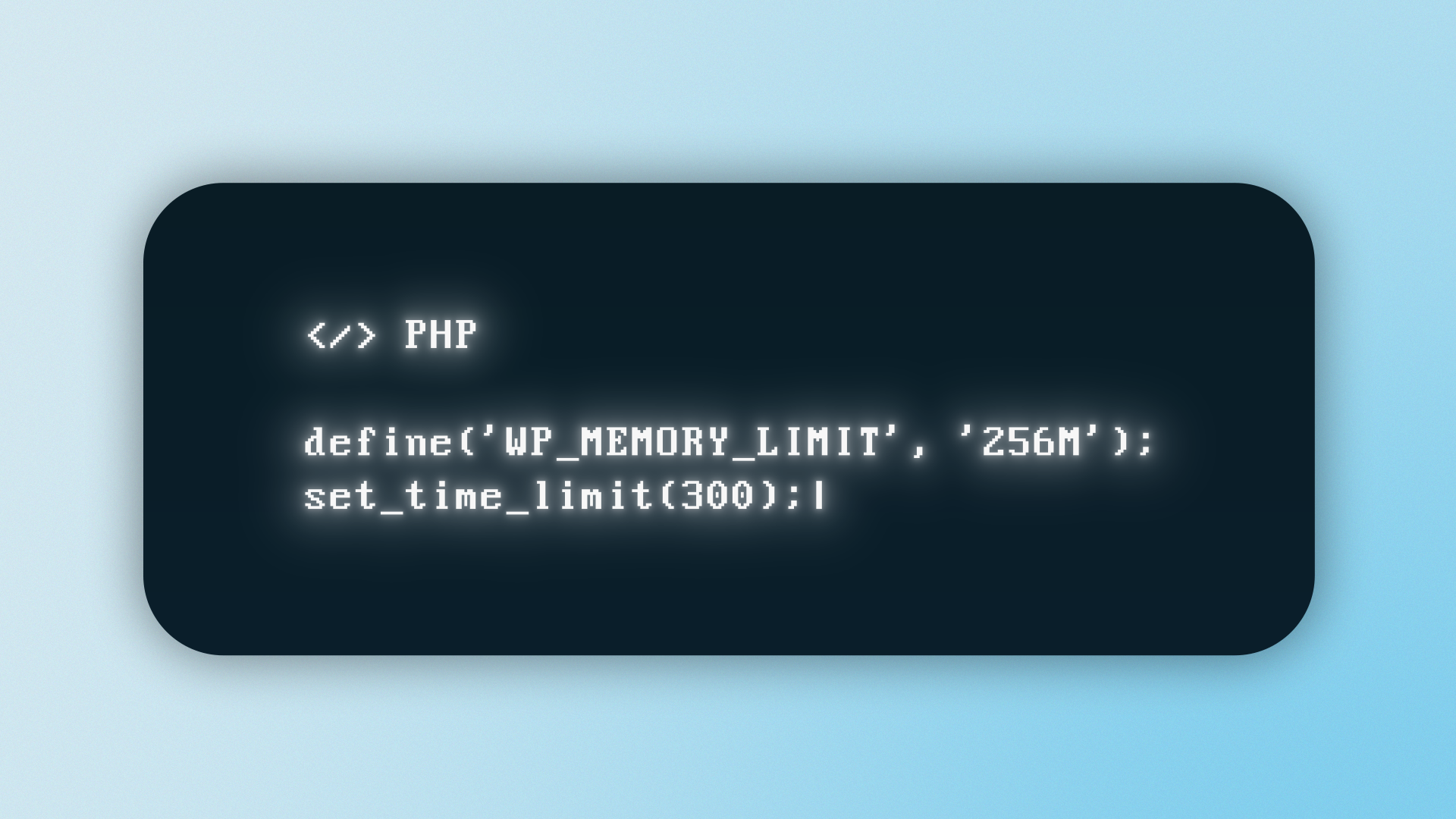
Start with your server limits. Imports often fail silently when your server runs out of resources. Set your PHP memory limit to at least 256MB and max execution time to 300 seconds.
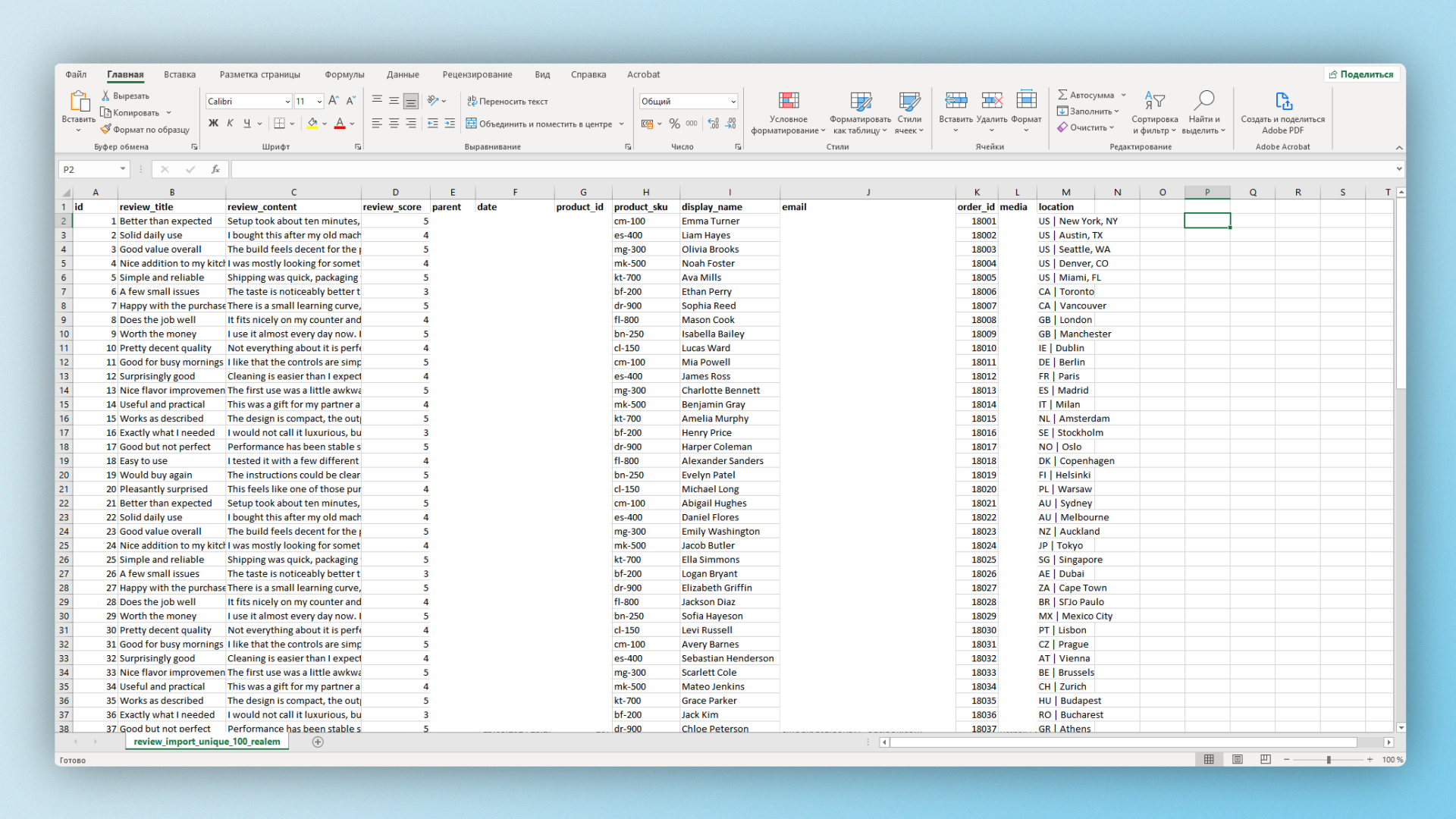
Next, check your CSV file format. The plugin expects specific fields like product ID or SKU, review content, rating, and reviewer details. Missing or incorrect columns can prevent the import from starting.
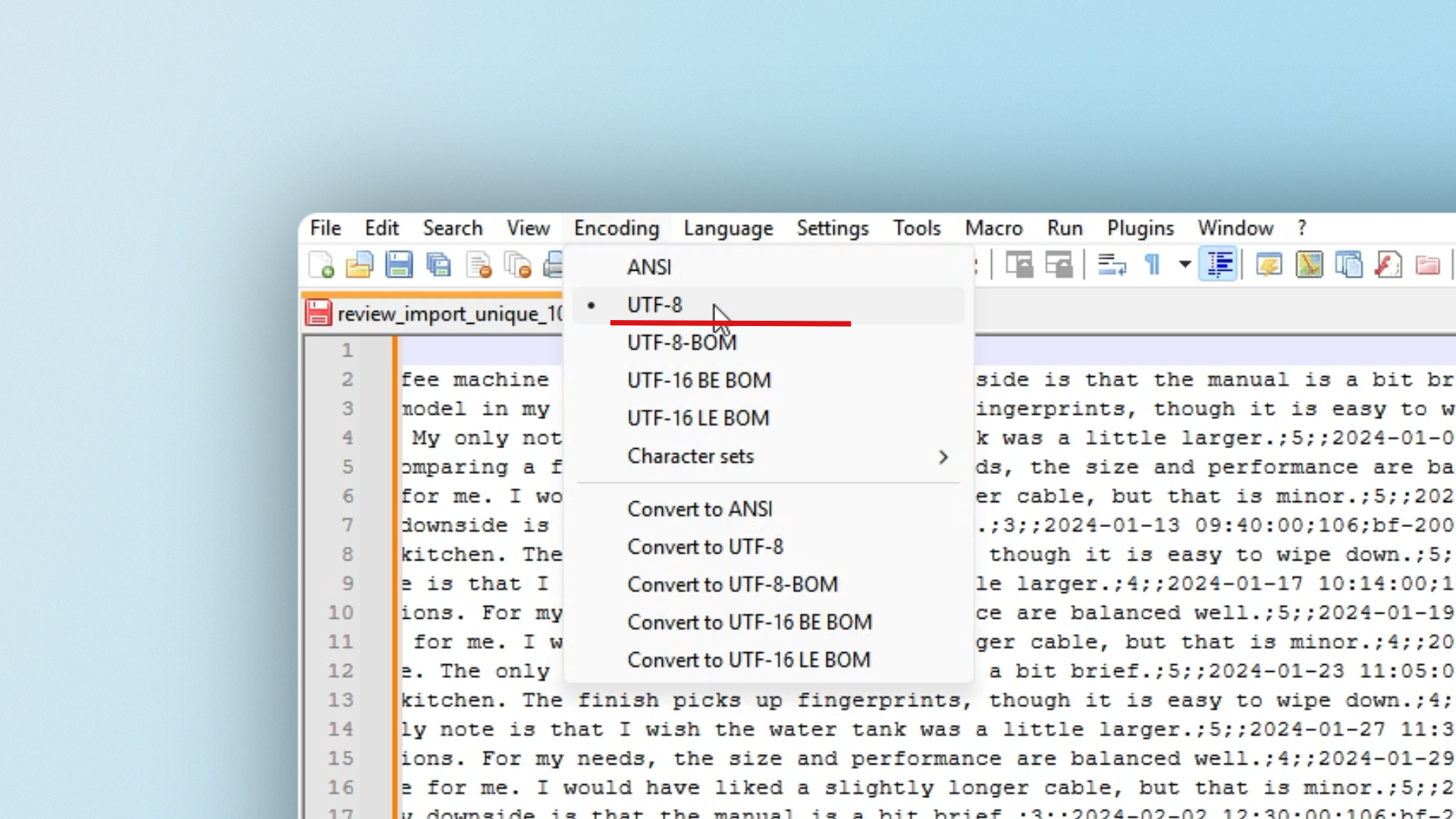
Also make sure your file is encoded as UTF-8 without BOM. Incorrect encoding can break parsing and stop the import at zero percent.
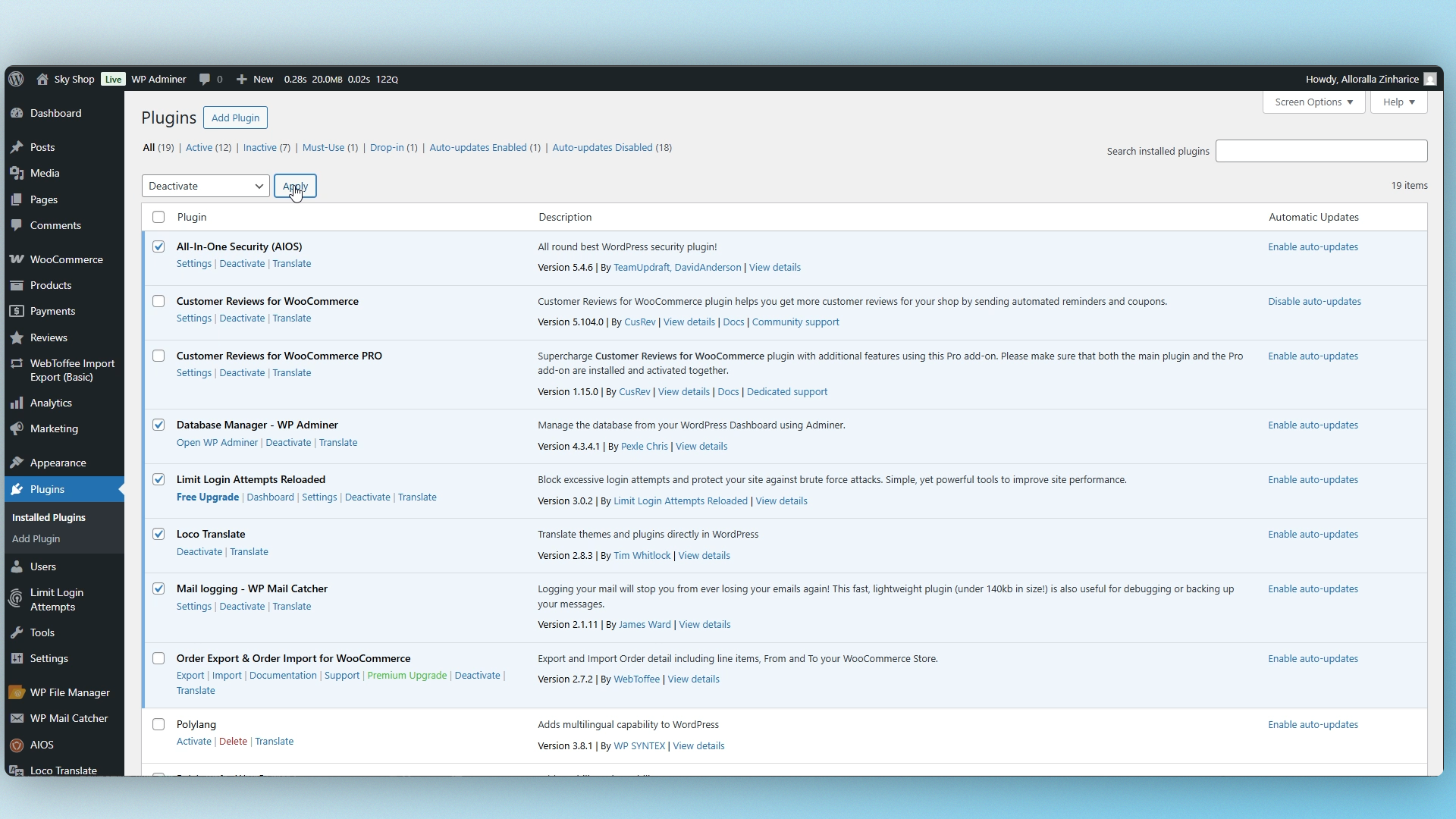
Now check for plugin conflicts. Disable unnecessary plugins — especially SEO, security, or database optimization tools. They can interfere with background processing.
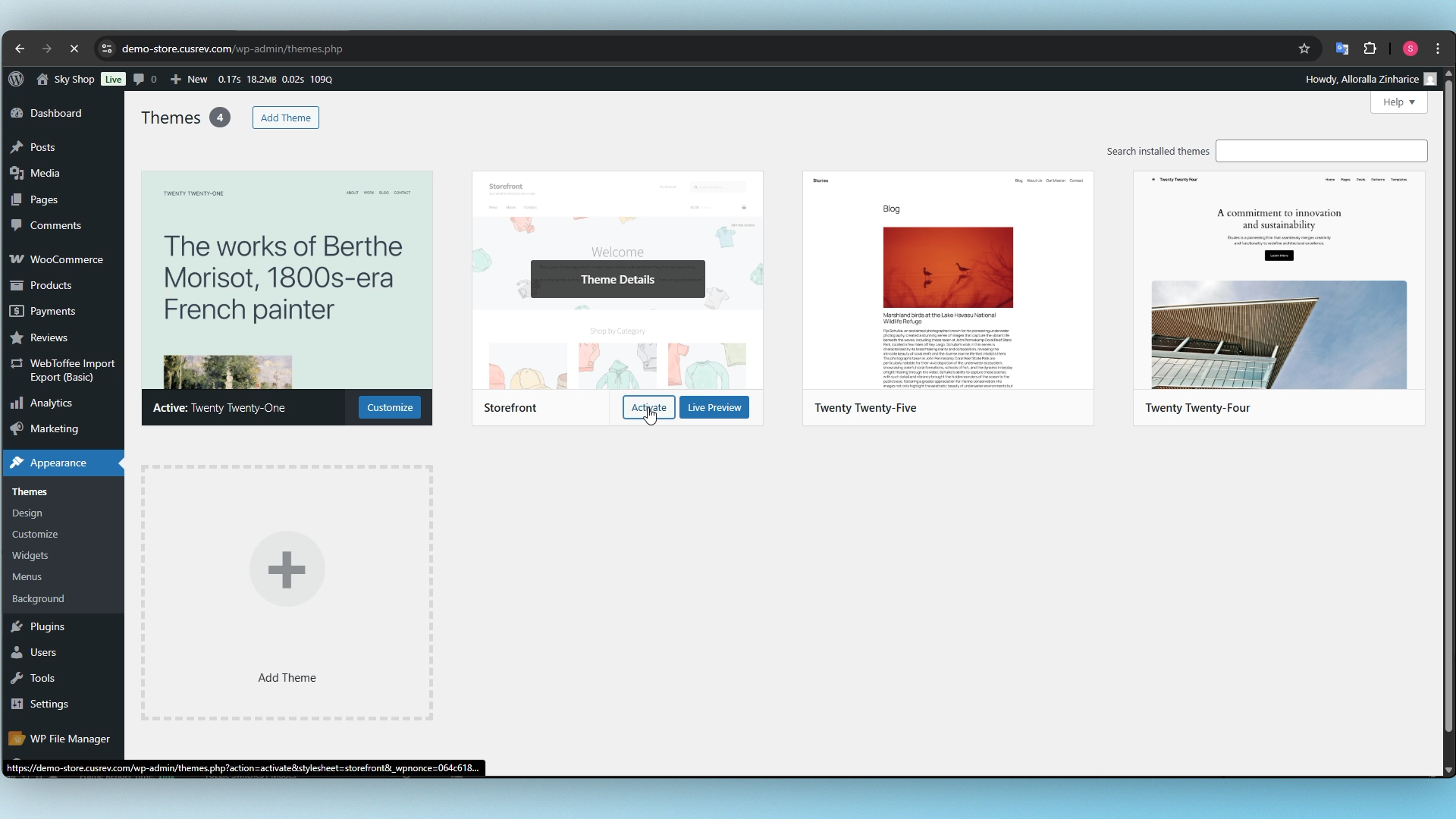
It’s also a good idea to temporarily switch to a default theme like Storefront. Some themes can break AJAX requests used during import.
Finally, open your browser console and look for AJAX errors. If you see failed requests, it usually points to timeouts or blocked server calls.
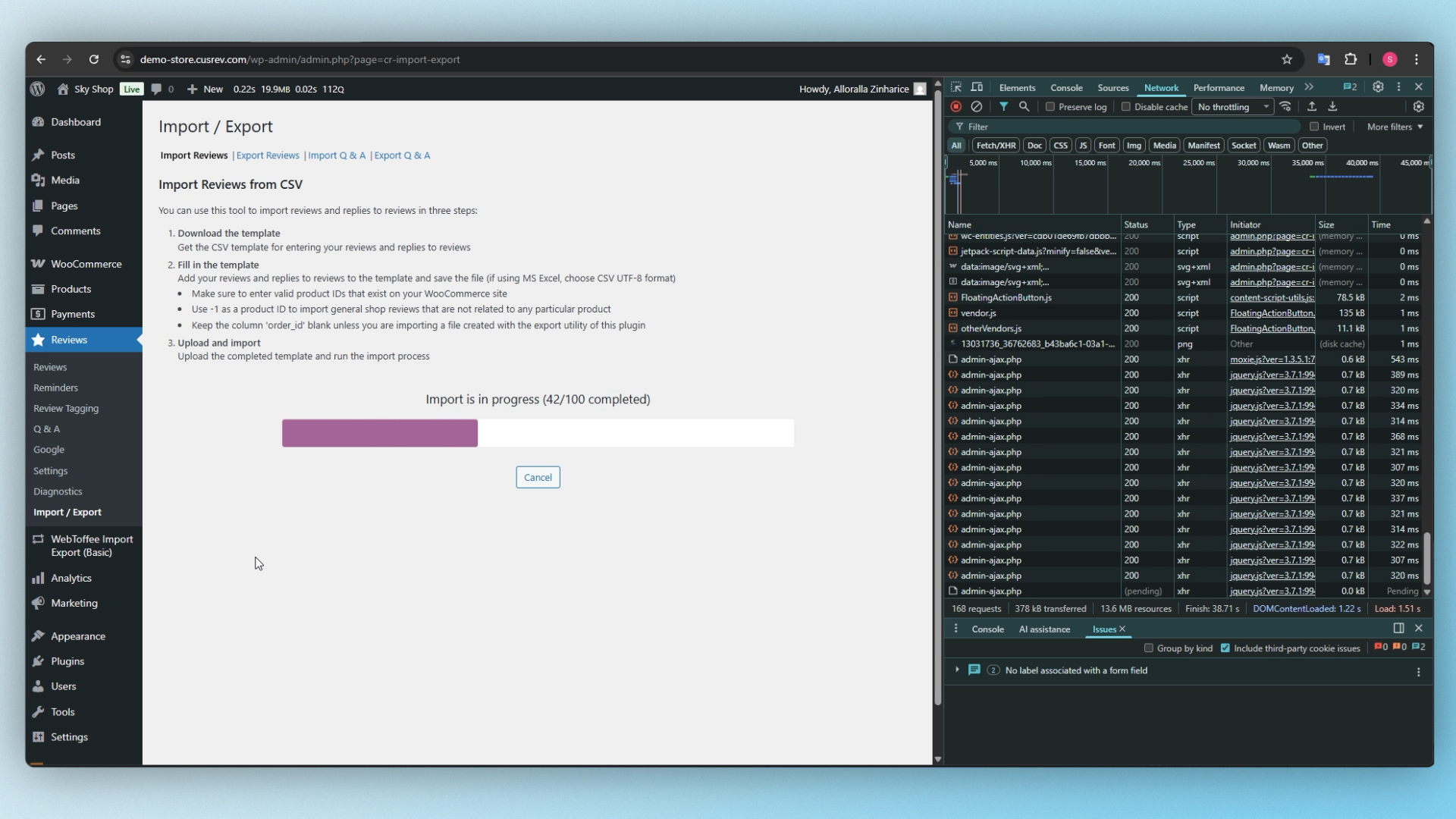
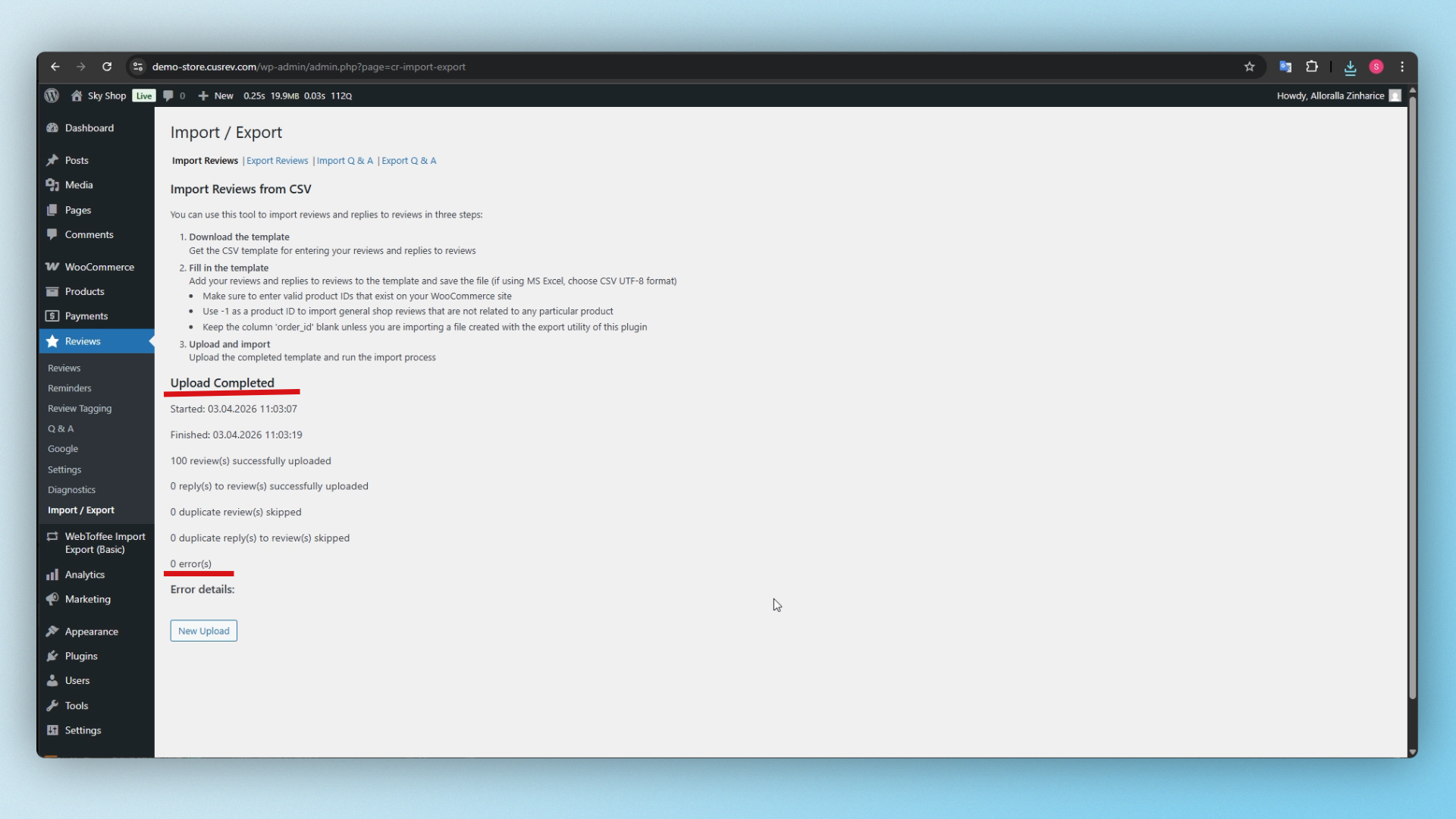
Fix these issues, restart the import — and it should move past zero percent and begin processing normally.
CusRev Plugin: https://wordpress.org/plugins/customer-reviews-woocommerce/
